The main setup tool can be found in the Editor’s top menu: ‘Tools → UNI VFX → Special Effects Tools’.
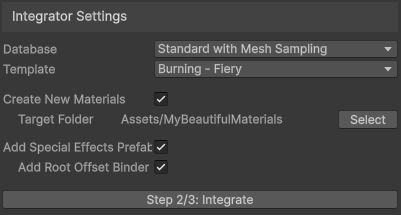
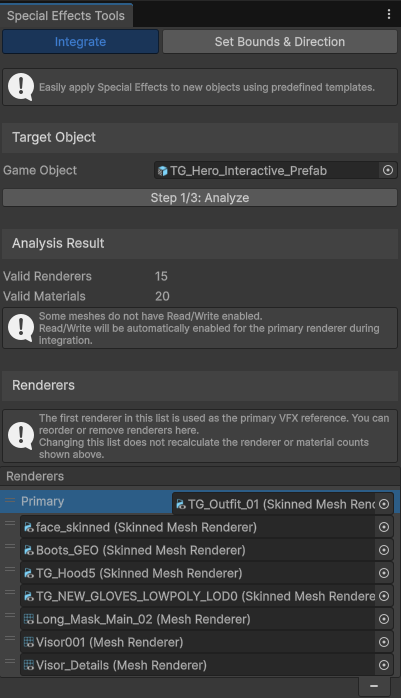
Easily apply Special Effects to new objects using predefined templates. Select the game object to which you want to add Special Effects, and follow the three-step setup process.
The first step is to check the selected Game Object and its contents. If a Game Object contains multiple renderers, you can exclude the renderers you don't want to use, but more importantly, you can select which renderer will be the primary one. The primary renderer is the one to which VFX will be applied. To select the primary renderer, drag it to the top of the list. Typically, you should pick the largest (skinned) mesh.
If you want to use more VFX per character or don’t want to use VFX at all, you can configure this later in the Special Effects script.