VFX with mesh sampling have performance cost even when they are not currently playing. With a limited number of VFX instances, this is negligible, but in any case, VFX is disabled by default until the Special Effects script is used for the first time. Depending on how you use Special Effects, you can call DisableVFX() when no effects are playing. VFX will be automatically enabled again when you play any Special Effect.
VFX have two properties which will directly influence the number of particles: ParticleSpawnRateMultiplier and DissolveSpawnRateMultiplier. Try to keep them to a reasonable amount.
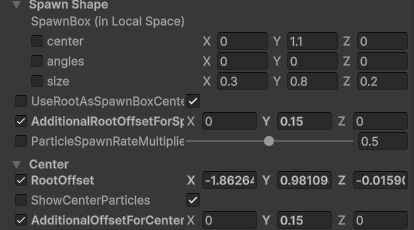
VFX without mesh sampling (cheap variant) will help you to keep performance in check when using VFX with a larger number of renderers. It doesn’t spawn particles on a mesh but on a simple box shape which you can configure to loosely fit your character/object. You can see it action in PrefabExamples scene.
In these variants, Dissolve is more simplified and particles don’t spawn near the dissolve edge but use the box spawn shape.


